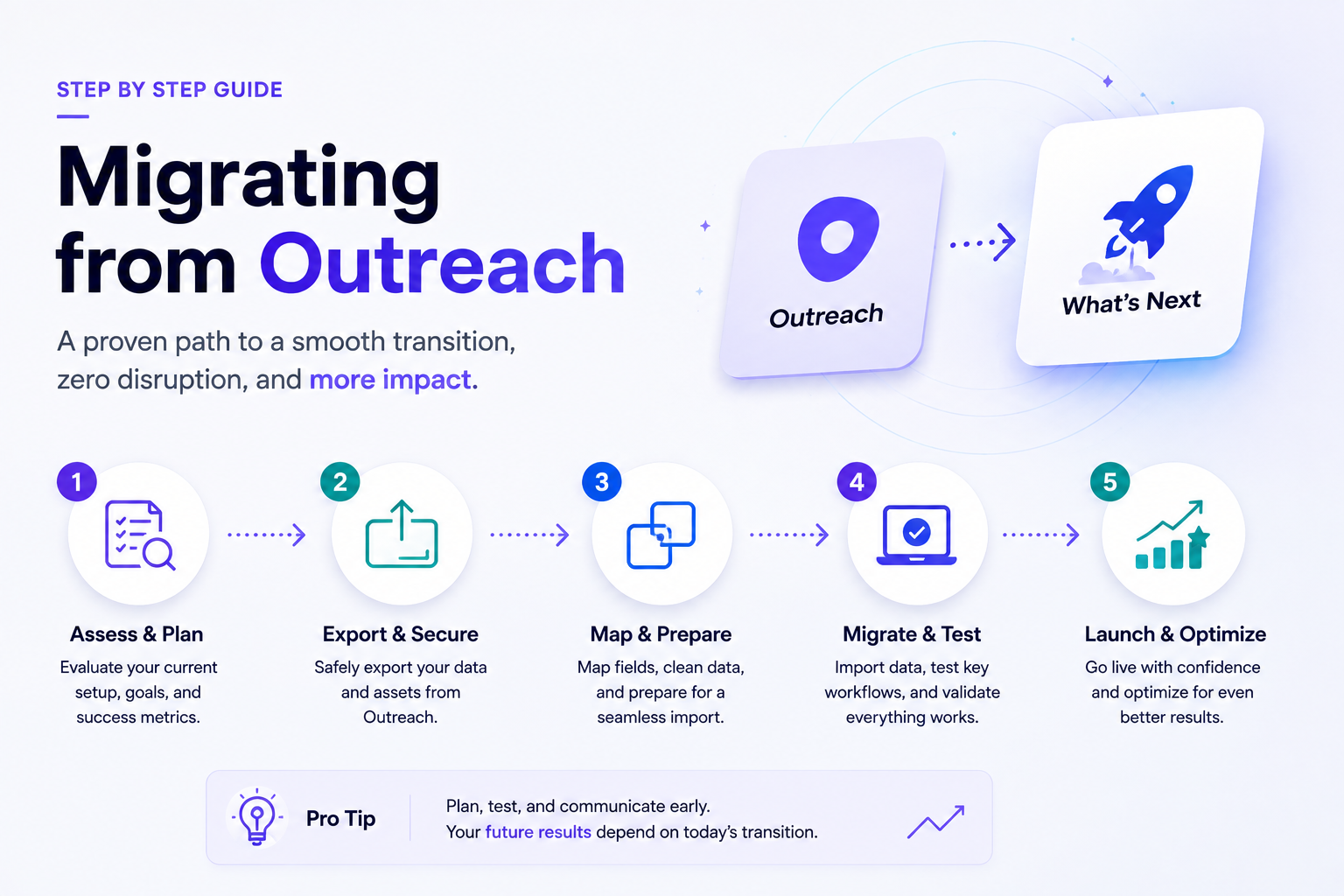
Searching "outreach io alternatives" usually means one of two things: you're evaluating whether to switch, or you've already decided and need to actually do it without losing a quarter's worth of sequence data, engagement history, and rep muscle memory in the process. This guide is for the second group. It assumes the evaluation is done and focuses entirely on the mechanics of moving off Outreach cleanly.
Migrations get risky not because the decision was wrong, but because teams underestimate how much lives inside a sales engagement platform beyond the sequences themselves — engagement history, reply sentiment tagging, custom fields tied to reporting, and CRM sync logic that took months to tune. A rushed migration doesn't just cost time; it can quietly break reporting and follow-up continuity for weeks after go-live.
60%
of a successful migration timeline should go to planning and data cleaning, not the cutover itself — Vantagepoint
$9.2B → $26.6B
projected growth of the sales engagement platform market, signaling more switching activity ahead, not less — Leadriver
61%
of outperforming sales teams use integrated CRM and engagement tooling, a top driver behind Outreach switches — HubSpot 2025 State of Sales via DevCommX
Why teams actually leave Outreach
Before the how, it's worth being precise about the why, since the reason shapes what the migration needs to preserve. The most commonly cited drivers in 2026 cluster around three themes: cost relative to usage (Outreach's per-seat pricing runs meaningfully higher than several newer entrants), a widening gap between Outreach's core sequencing strength and teams' growing appetite for agentic execution, and CRM integration depth — teams increasingly want activity data written natively into the CRM rather than synced through a separate layer.
It's worth being fair to the platform being replaced here: Outreach remains genuinely strong for high-volume, multi-touch outbound, and has expanded into forecasting and deal-health tooling in recent years. Migrations rarely happen because Outreach is bad at what it was built for — they happen because a team's needs have shifted toward something the platform wasn't originally built around, whether that's CRM-native execution, agentic account monitoring, or a lower total cost at scale.
What actually needs to migrate — not just contacts
The most common migration mistake is treating this like a contact list export. A sales engagement platform accumulates several distinct categories of data, each with a different migration difficulty:
Active sequences
High priority
Every prospect mid-sequence needs to land in the equivalent step on the new platform, not restart from step one.
Engagement history
High priority
Open/click/reply history informs follow-up timing decisions — losing it resets every prospect to a blank slate.
Templates and snippets
Medium priority
Tested, working copy is often worth more than it looks — don't let it get lost in a rushed re-platforming.
Custom fields and reporting logic
Medium priority
Any field feeding a dashboard leadership actually looks at needs a mapped equivalent, or reporting breaks silently.
The migration that fails isn't the one where contacts don't transfer — it's the one where a rep discovers three weeks later that half their active sequence had no equivalent step in the new tool, and prospects simply stopped getting touched.
Step 1: Audit before you export anything
Before touching any export tool, get an honest inventory of what's actually active versus dormant. Most platforms accumulate stale sequences, unused templates, and contacts that haven't been touched in months — migrating all of it wholesale just carries the mess into the new system. A clean audit separates active, in-flight sequences that need continuity from historical data that can be archived rather than actively migrated.
This is also the point to decide on data hygiene rather than deferring it. Teams that use a migration as an opportunity to clean duplicate contacts, dead sequences, and outdated custom fields consistently report a smoother go-live than teams that migrate everything as-is and plan to clean up later — "later" rarely comes once the new platform is live and daily work resumes.
Step 2: Map the sequence logic, not just the contacts
Contacts export cleanly from almost any platform. Sequence logic — branching rules, wait conditions, task triggers tied to reply sentiment — is the part that doesn't transfer automatically and is easy to underestimate. Before migrating, document each active sequence's actual logic: what triggers a branch, what happens on no-reply after N days, which steps are manual tasks versus automated sends.
This documentation becomes the build spec for recreating sequences in the new platform, rather than reverse-engineering it after go-live from whatever the export happened to capture. Sequences rebuilt from a clear spec transfer far more faithfully than sequences "roughly recreated" from memory once the team is already mid-transition.
Step 3: Decide on cutover style — parallel run vs. clean break
ApproachBest forTradeoffClean break (single cutover date)Smaller teams, simpler sequence logic, tight timelinesHigher risk if something's missed — no fallback once old platform access endsParallel run (both platforms live briefly)Established teams with long deal cycles and complex, tenured workflowsMore overhead during the overlap, but meaningfully lower risk of lost continuity
For teams with deal cycles over 90 days or heavily tenured sequence logic, a parallel run of several weeks to a few months tends to produce a cleaner outcome than a hard cutover — it gives reps and RevOps a real window to catch discrepancies before the old platform goes dark for good. Smaller teams with simpler, shorter-cycle motions can often manage a clean break successfully if the audit and mapping steps above were done thoroughly.
Step 4: Migrate CRM integration logic, not just the platform
A frequently missed piece: the CRM integration itself needs to be rebuilt, not assumed to carry over. Field mappings, sync direction (one-way vs. bidirectional), and any custom logic that determines what writes back to the CRM and when all need to be reconfigured for the new platform's integration model. This is where sales automation depth really matters — a migration is a natural moment to upgrade a shallow, one-way sync to something that actually reads CRM data back in real time, rather than just replicating whatever limited integration existed before.
Test this specifically before go-live: change a deal stage in the CRM and confirm the new platform's sequencing logic actually reacts to it, the same way you'd test this during initial platform evaluation. A migration that recreates the old platform's shallow integration in a new tool hasn't actually solved the problem that may have prompted the switch in the first place.
Step 5: Communicate the change to reps before, not during
1
Announce the timeline early
Give reps weeks, not days, of notice — they need to plan around a transition that affects their daily workflow.
2
Run a real-workflow pilot
Have a small group of reps use the new platform for actual live sequences before full rollout, not just a demo walkthrough.
3
Document what's different, not just what's new
Reps adapt faster to "here's what changed in your daily workflow" than to a generic feature list of the new tool.
4
Keep a clear rollback window
Know exactly how long old platform access stays available in case a critical gap surfaces after go-live.
Step 6: Validate before declaring victory
The final step most teams shortcut is validation — confirming, record by record where possible, that active sequences landed correctly, engagement history is intact, and CRM sync is behaving as expected. This is tedious and easy to skip once the new platform is technically "live," but it's the difference between finding a gap in week one versus discovering it in week four when a manager asks why an important account went quiet.
A reasonable validation pass checks: a sample of in-flight sequences to confirm they're at the correct step, a sample of contacts to confirm engagement history transferred, and at least one CRM field update tested end-to-end to confirm the integration logic from Step 4 is actually functioning as designed, not just configured.
Handling the transition period without losing pipeline momentum
One risk that's easy to underweight is what happens to prospects actively mid-sequence during the switch itself, not after go-live. A contact who's on day 8 of a 14-day cadence when the migration begins is vulnerable to falling through the cracks entirely if the timeline isn't managed carefully — the old sequence stops, the new one hasn't been rebuilt yet, and nobody notices until the prospect has gone cold. This is one of the strongest arguments for a parallel run over a hard cutover for any team with meaningful live pipeline: it gives active sequences somewhere to keep running while the new platform's version gets built and validated.
If a hard cutover is unavoidable — a fixed contract end date on the old platform, for instance — the mitigation is triaging active sequences by deal value or stage before the cutover and manually ensuring the highest-priority prospects get a human check-in during the gap, rather than relying entirely on either platform's automation during the transition window itself.
Budgeting realistic time for the whole project
Teams routinely underestimate how long a proper migration takes, in large part because the visible parts — signing the new contract, running an export, importing contacts — look fast, while the invisible parts (auditing sequence logic, rebuilding CRM integration, validating results) are where most of the actual time goes. A reasonable planning assumption for a mid-market team with meaningful sequence complexity is 4-8 weeks from kickoff to full cutover, with the majority of that time front-loaded into audit and mapping rather than the cutover weekend itself. Teams that budget a single week for "the migration" are almost always working from the visible-parts estimate, not the real one.
It's worth setting this expectation with sales leadership explicitly before the project starts, since a compressed timeline is one of the most common root causes when teams report a rocky migration after the fact — not the platforms involved, but the schedule the switch was forced into.
Where to invest the effort you free up
Teams that migrate off Outreach specifically to gain deeper CRM-native execution or AI SDR capability often treat the migration as a finish line, when it's better treated as a starting point. Once the new platform is stable, that's the moment to actually build out the agentic monitoring, signal-based triage, or deeper sales intelligence integration that likely motivated the switch in the first place — not to just replicate the old Outreach setup inside a new interface and call it done.
A note on choosing what you're migrating to
This guide assumes the destination platform is already chosen, but it's worth a brief word since the choice shapes how much of this migration effort pays off. Moving to a like-for-like sequencer — swapping Outreach for another platform built around the same sequencing-first model — mostly just changes the interface reps see, without addressing whatever prompted the switch in the first place if the underlying gap was CRM depth or agentic capability. Moving to a platform built around deeper CRM-native execution or real signal-based automation is a bigger lift during migration (more integration work to get right) but is more likely to actually close the gap that motivated leaving Outreach to begin with.
Worth revisiting the original reasons for switching, listed earlier, before finalizing the destination — a migration is expensive enough in time and risk that it's worth making sure the new platform actually addresses the root cause, not just the symptom of "we didn't love Outreach's pricing" without also fixing the integration and coverage gaps that tend to sit underneath cost complaints.
What tends to go wrong, and how to avoid it
The most common failure mode isn't a botched export — most platforms handle basic contact and template migration reasonably well. It's underestimating sequence logic complexity, skipping the audit step under time pressure, and rebuilding CRM integration as a shallow copy of what existed before rather than an upgrade. A close second is failing to communicate the transition clearly enough that reps trust the new system on day one — a rep who doesn't trust the new platform's data will quietly keep a personal tracking spreadsheet "just in case," which defeats the purpose of consolidating onto one clean system in the first place.
Migrating off Outreach isn't primarily a technical exercise — the exports and imports are the easy part. What determines whether it goes well is whether the team treats sequence logic, CRM integration depth, and rep trust as first-class migration concerns, not afterthoughts to sort out once the new platform is already live.